 Wallogit.com
2017 © Pedro Peláez
Wallogit.com
2017 © Pedro Peláez
library flipbooklaravel
Use your images to view in magazine style flipping book for laravel 5.x , used Turn.js for viewing flip book.

rudrarajiv/flipbooklaravel
Use your images to view in magazine style flipping book for laravel 5.x , used Turn.js for viewing flip book.
- Monday, January 18, 2016
- by rudrarajiv
- Repository
- 2 Watchers
- 6 Stars
- 503 Installations
- JavaScript
- 0 Dependents
- 0 Suggesters
- 3 Forks
- 1 Open issues
- 1 Versions
- 5 % Grown
The README.md
Laravel Flipbook
Use your images to view in magazine style flipping book , used Turn.js for viewing flip book. Flipbook is an magazine interface builder for [Laravel] using Turn.js. With Flipbook you can upload your images and convert them into magazine style viewing document., (*1)
- Author: Rajiv Patel
- Version: 1.0.0
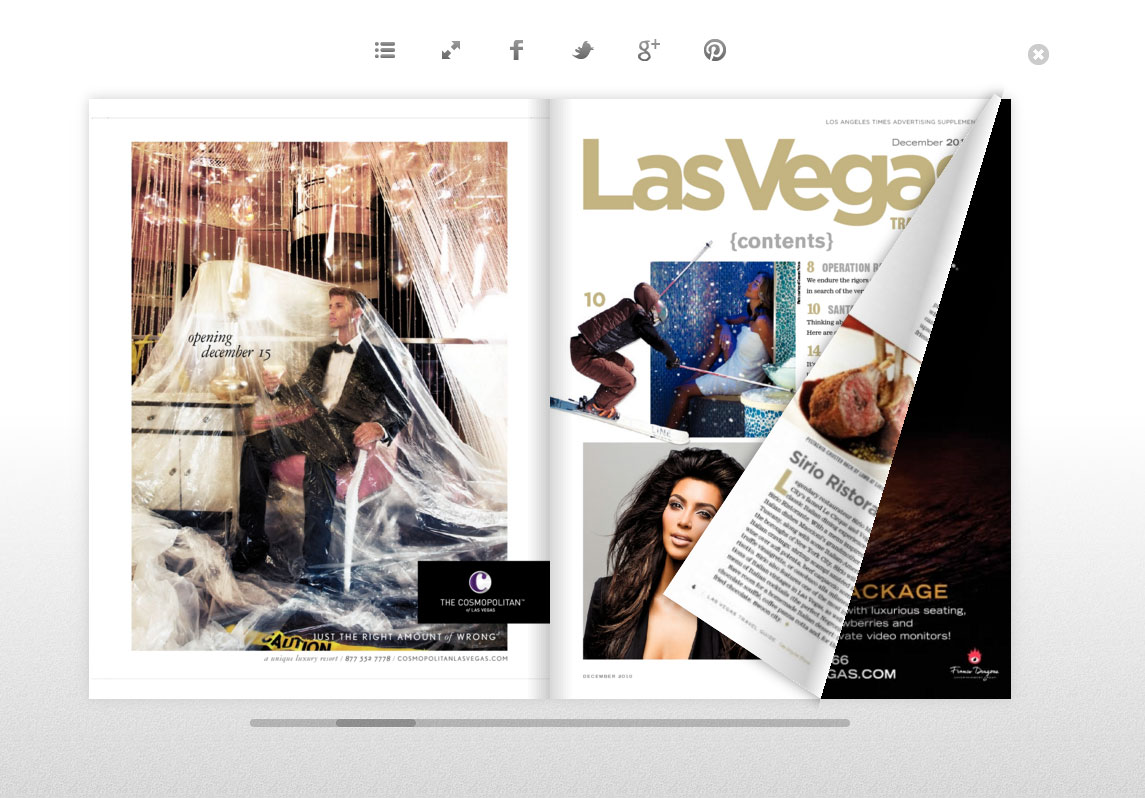 , (*2)
Install via Composer
To install Laravel Flipbook as a Composer package to be used with Laravel 5 and above, simply run:, (*3)
composer require "rudrarajiv/flipbooklaravel:dev-master"
Register Package
Once it's installed, you can register the service provider in app/config/app.php in the providers array:, (*4)
'providers' => [
    'rudrarajiv\flipbooklaravel\FlipBookServiceProvider',
]
Publish Package
Then publish Flipbook's assets with php artisan vendor:publish. This will add assets in public , migrations in database and views in resources ., (*5)
To publish assets , migration and view individually ,
please use the tags flippublic,flipmigration,flipview respectively., (*6)
for eg. To publish only assets use this command, (*7)
php artisan vendor:publish --provider="rudrarajiv\flipbooklaravel\FlipBookServiceProvider" --tag="flippublic", (*8)
Once you have published the migration - please don't forget to migrate the migration into your database - For migration please use php artisan migrate
After migration is completed - you can find a table named 'flipbook' into your database., (*9)
Edit Routes
By Default the routes file which is included with this package has route defined as following, (*10)
Route::resource('/flipbook','rudrarajiv\flipbooklaravel\FlipBookController');
Feel free to edit the '/flipbook' portion of the route as per your requirement, if you edit this URL - also edit the same into the views that are included with this package., (*11)
There are four views included with this package, which you can edit as per your requirement, also please update the url into views - if you change the route resource to something else then '/flipbook'. `````` bookindex.blade.php - (This view shows all the books that are stored in the database) bookcreater.blade.php - (This view lets you to create a new book, new book created will get stored into database and images will get stored into public/rudra/fbook/pics path ) editbook.blade.php - (This view lets you to edit your previous book and also there is a button to delete your book) showbook.blade.php - (This view lets you to view your book into magazine style) `````, (*12)
Copyright and License
Flipbook was written by Rajiv Patel for the Laravel framework. Flipbook is released under the MIT License. See the LICENSE file for details., (*13)
Recent Changelog
1.0.0
- Created flipbook for Laravel 5.*
- Can upload , edit & delete magazine style books
Upcoming Feature
- Upload any of your documents like Microsoft Word, pdf files and get converted them to Magazine style flipping book.