Instalation
Add the package in the main composer.json, (*1)
  {
     "require":
     {
        ...,
        "jlaso/tradukoj-laravel": "dev-master",
        ...
     }
  }
Launch composer update in order to get TradukojLaravel installed., (*2)
Launch the command php artisan vendor:publish to get the configuration of the package exposed and edit the
file app/config/tradukoj.php adding the data of your project in the user area of Tradukoj., (*3)
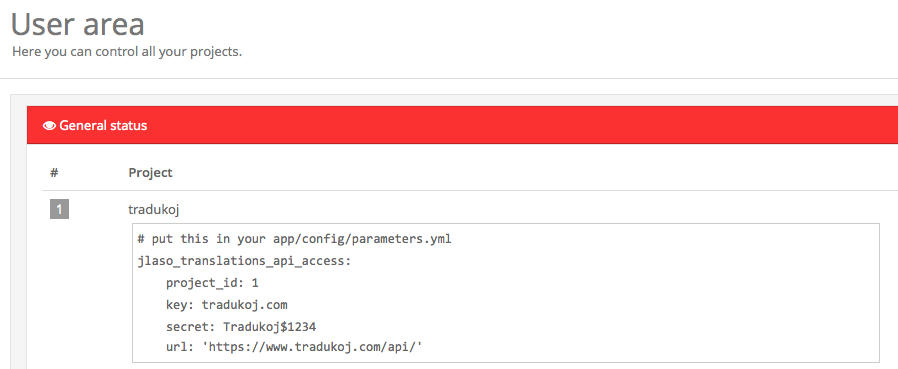 , (*4)
<?php

return array(

    'key' => 'put-your-api-key-here',
    'secret' => 'put-your-api-secret-here',
    'project_id' => 0,
    'url' => 'https://www.tradukoj.com/api/',

);
Using
Once you have configured your parameters you can use the synchronization with the Tradukoj server., (*5)
To upload the first time all the translations you have in local to the server:, (*6)
php artisan tradukoj:sync --upload-first
If you use this option the subsequents times you can lost your translations' changes in the server. Remember this, (*7)
To download all the translations from the server to local:, (*8)
php artisan tradukoj:sync
There is no way at this moment to full synchronize translations full-duplex, because of the date of the file where the translations
are in local. There is no easy way to figure out which translations are modified in local., (*9)
Troubleshooting
If you found any troubles using the commands of this packages remember the option debug that helps you to figure out whats
going on., (*10)
php artisan tradukoj:sync --debug
Author and collaborators
References, (*11)
 Wallogit.com
